
Unresolved Texters
What the Unresolved Texters mailbox means, how Unknown Texter and Anonymous Text differ (same meaning, different label history), and how to identify those people.
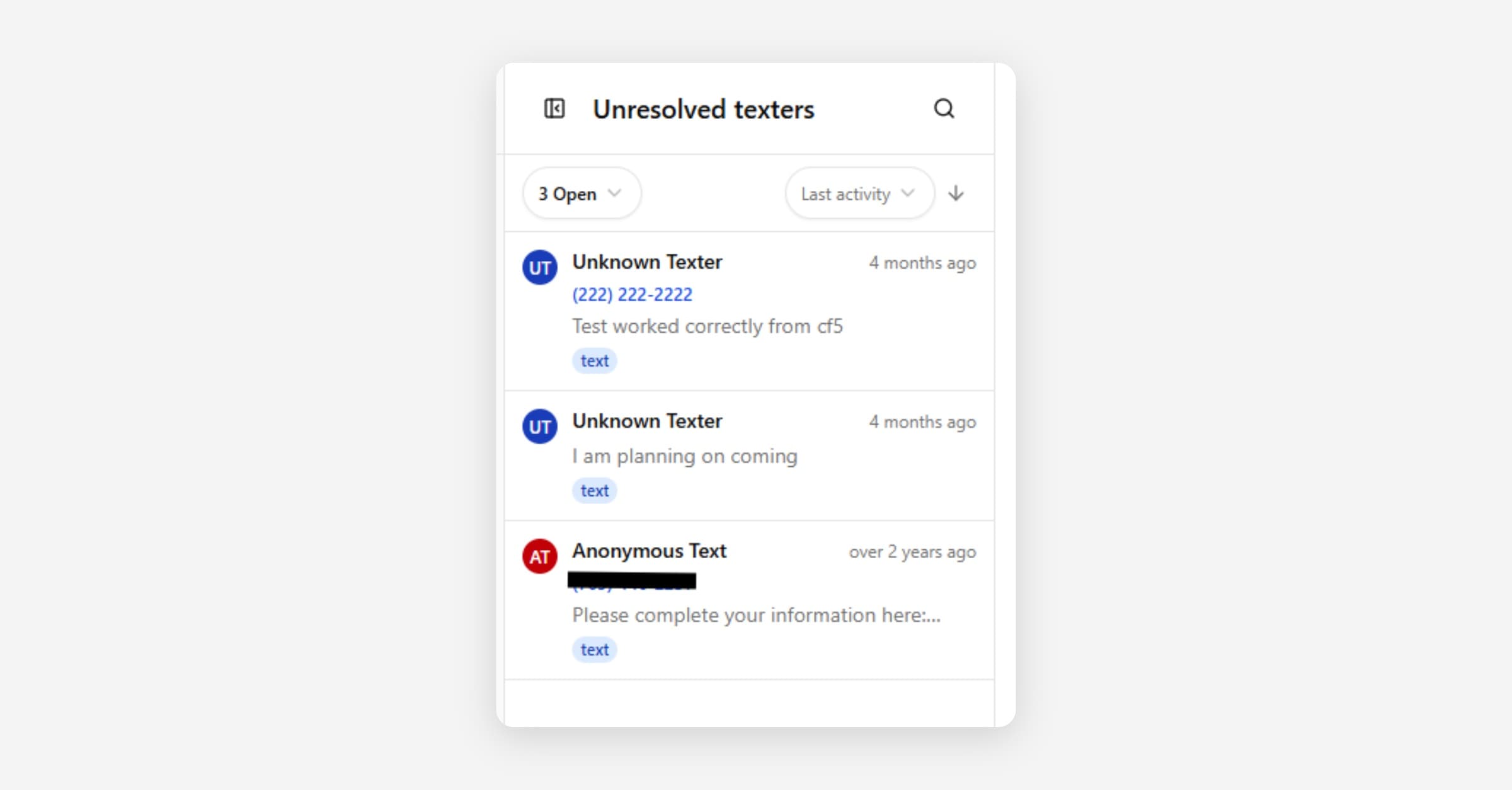
Unresolved Texters is a mailbox in Inbox for text conversations where CoolFocus knows the phone number, but not yet who the person is.
Those conversations usually show a placeholder name such as Unknown Texter (current label) or Anonymous Text (older label you may still see on some records). Same meaning either way: CoolFocus only has the phone number, and it is not currently connected to a client record.
Why this mailbox exists
When someone texts your organization for the first time, CoolFocus may not be able to match them to an existing client, donor, or contact. The conversation still needs a home so that the team can reply and follow up. The Unresolved Texters mailbox holds that queue until the person is identified.
Unknown Texter vs Anonymous Text
• Unknown Texter is the current placeholder label.
• Anonymous Text is an older label from previous CoolFocus client texting versions.
• Both labels have the same meaning: The phone number is not linked to a known person yet.
• Both labels appear in Unresolved Texters. Treat them the same way.
What to do when you open an Unresolved Text
1. Review the phone number and message history.
2. Search for an existing client, donor, or contact who matches.
3. Link the conversation to the right person, or create a new person record if they are new.
4. Update the name if the record is still a placeholder.
5. Continue the conversation from the normal mailbox once it is identified.
After the person is identified, the conversation leaves the unresolved queue and behaves like any other Inbox thread.
Tips
• Check spelling variants and alternate phone formats before creating a duplicate person.
• If two staff members might be identifying the same texter, coordinate so you do not create two records for one person.
• See Managing Conversations and Merging & Cleaning Up Conversations if you need to clean up duplicates afterward.