
Message Attachments
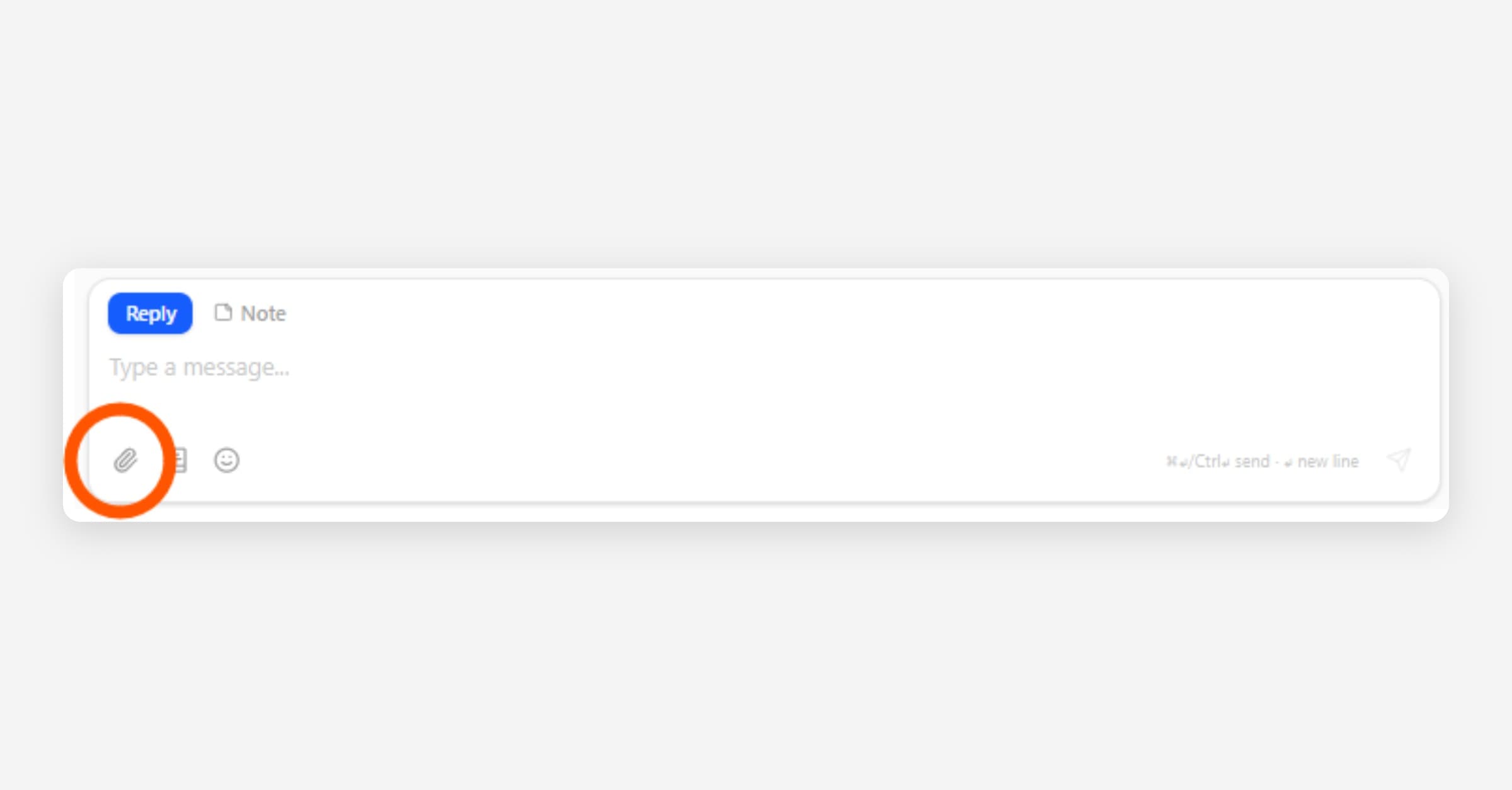
You can attach an image or short video to a message from the Inbox. Attachments work when you are starting a new conversation or replying in an existing one.
Texting fee: Inbox MMS text messages with photos, videos, or GIFs (incoming and outgoing) will add a text messaging usage fee on your monthly CoolFocus invoice when CoolFocus sends or receives an actual text message. Turning a setting on alone does not bill you, but each message that goes out or comes in can. Full list: What Counts as a Text Message & What are the Text Usage Fees?.
What you can attach
• One file per message
• Maximum size: 5 MB
• Allowed types: JPEG, PNG, GIF images, MP4 or 3GPP video
If a file is over the size limit or not one of the allowed types, the composer shows an error and the file is not attached.
Looking for documents on a client, class registration, or other record? Those are record Attachments — up to 100 MB per file, with no organization storage quota and no storage-based plan cost.
How to attach a file
1. In the message composer, select the paperclip button.
2. Choose the file to upload.
3. Wait for the upload to finish. While a file is uploading, Send is disabled.
4. Send your message.
Tips:
• To remove the selected file before sending, select the X next to the filename.
• If you change the recipient before sending, the pending attachment is cleared and you can choose a file again.
Secure messages
• You can attach an image or video to a secure message when starting a new conversation or when replying.
• A secure message can be sent with just an attachment. The message body is optional when a file is attached.
• If the only content is an attachment, the conversation shows a short summary of [Image] until the next message.
Text messages (MMS)
• Image and video attachments on text messages are sent as MMS and follow the same file type rules and 5 MB limit.
• Carriers do not deliver MMS to landlines. If a number is not MMS capable, send without an attachment or use a different channel.
• Phone carriers apply their own, tighter media limits on top of CoolFocus's rules. A file that is within the 5 MB limit and an allowed type can still be rejected by the carrier, and the message shows an Invalid media error. If you see this error, send the file as a secure message instead, since secure messages are not limited by carrier MMS rules.
• A JPEG or PNG photo is resized automatically before it sends so it fits carrier delivery limits. When this happens, the attachment shows a short note such as "Resized for texting · 2.6 MB → 580 KB".
• GIFs and videos are never resized, since resizing a GIF would flatten its animation. If one is still large after you attach it, the composer shows a note that it may be too large to send. A secure message delivers the original file at full quality instead.
Related
• What Counts as a Text Message & What are the Text Usage Fees?
• Attachments (files on records)