
Time Sheets
Log staff and volunteer hours on time sheets; how the Staff / Volunteer picker and volunteer-hour reports work.
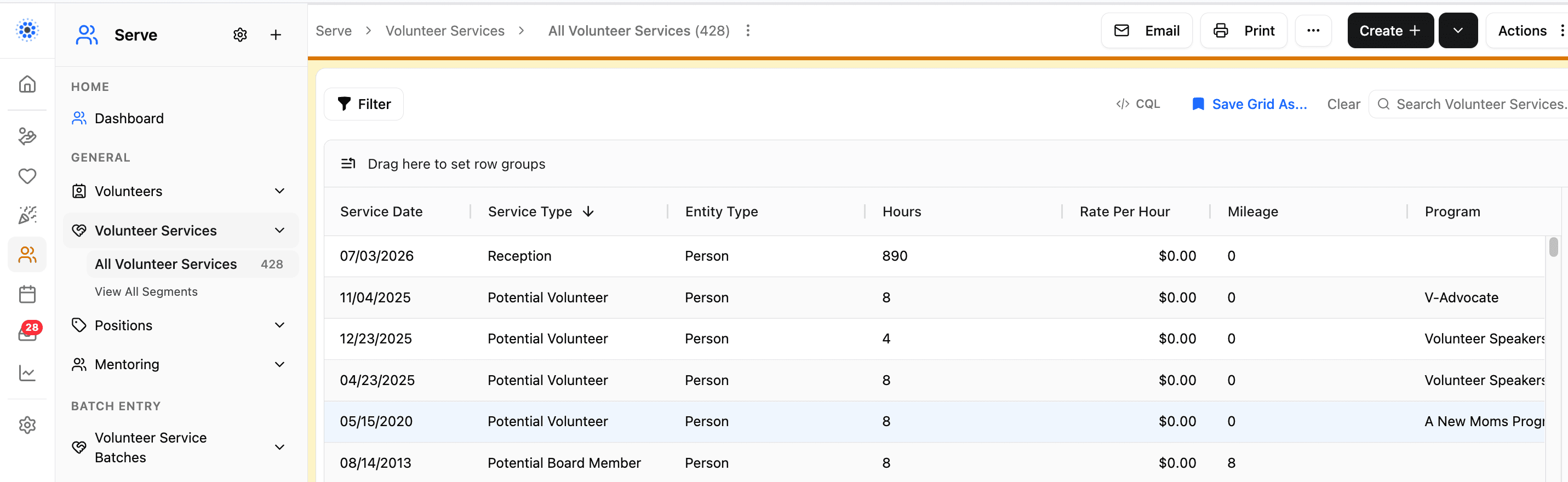
A time sheet is the hours a staff member or volunteer served on a given date. Your team uses time sheets for reporting, recognition, and a clear history of how people have served.
Looking for roles (Nurse, Advocate, and so on) and who is qualified for them? That is Positions, not time sheets — see Positions.
Who you log hours for
Each time sheet's person field is labeled Staff / Volunteer. It searches both the Staff list and the Volunteers list together, so you do not need to know which list someone is on before you log their hours.
The person must already have the Staff and/or Volunteer involvement flag on their person record. Details: Staff & Volunteers.
Staff flag and volunteer-hour reports
A person record's Staff checkbox controls whether their hours count toward volunteer totals. Reports that total volunteer hours — including the Love INC Annual and Quarterly reports — exclude time sheets for people flagged as Staff. Their hours count in volunteer-hour reports only when the Volunteer flag is checked on their record.
Only check Staff for paid employees whose hours should be left out of your volunteer totals. Someone can still be marked Volunteer as well; the Staff flag is what keeps those hours out of volunteer-hour reports.
Where to enter hours
• One person / one line: Serve → Time Sheets → Create
• Many people at once: use a Time Sheet Batch under Serve → Batch Entry → Time Sheet Batches, or Serve → Time Sheets → Create menu → Batch entry…. Step-by-step: How to Create a Time Sheet Batch
• From a spreadsheet: Importing Time Sheets from a Spreadsheet
CoolFocus has no volunteer self-service kiosk. A staff member or coordinator logs each person's hours using one of the ways above; volunteers cannot clock themselves in or out.
Hours entered one at a time, in a batch, or by import all become real Time Sheet records on that person's history and in Serve reporting.
Each time sheet has a Service field: a dropdown listing the kinds of service your organization tracks (Front Desk, Mentoring, Administrative, and so on). It's an admin-managed list, so you set the choices to match how your organization works.
To add, rename, or remove a service type, open the Service field on any time sheet and select Manage List. See Managing Dropdown List Values for how Manage List works across CoolFocus.
If two options mean the same thing, rename one instead of adding a near-match. Avoid deleting a service type that's already used on existing time sheets, that leaves those time sheets without a label.
Positions are separate
Positions describe roles and qualifications. You set them up under Serve → Positions and assign Staff or Volunteer people as Qualified Team Members. The same positions also feed the Scheduler (who can cover which appointment types).
Time sheets do not create positions, and positions do not log hours. Set up both when you need both.
Full first-time guide: Positions.
Best practice
• Keep Staff and Volunteer flags accurate so the person picker and volunteer-hour reports stay correct.
• Prefer a batch when logging the same day, event, or program for many people.
• If someone is missing from the Staff / Volunteer picker, complete their Staff or Volunteer record first, then return to the time sheet.
Related
• Staff & Time Sheets Overview
• How to Create a Time Sheet Batch